Router setup and configuration
Share the router model and whether it is new or already connected. Setup requirements depend on the equipment and your internet provider. Confirm compatibility and the work needed before arranging service.

Queen Electronics & Wellness · Home Wi-Fi
Weak coverage in one room, devices dropping offline or a router that needs setting up? Queen Electronics & Wellness helps with home Wi-Fi configuration and troubleshooting. Tell us where the problem happens and which equipment you use.
Service coverage: In Dubai we serve Al Twar 1–5, Al Qusais, Al Nahda 1–2, Al Mamzar, Muhaisnah 1, 3 and 4, Mizhar, Mirdif, Oud Al Muteena, Al Warqa 1–5, Al Rashidiya, Nad Al Hamar, Ras Al Khor, Warsan 1–4, International City, Al Khawaneej, Al Aweer, Al Barari, Dubailand, Nad Al Sheba 1–4, Meydan, Wadi Al Amardi, Al Tayy (Dubai), Al Athbah, Al Ayas, Al Rowaiyah 1 and Madinat Hind 3–4. In Sharjah: Al Zubair, Al Juraina, Siyouh Suburb, Al Noaf, Hoshi (Al Badee Suburb), Al Tayy (Sharjah), and Al Qarayen (Sharjah National Park). Share your location and equipment model on WhatsApp to arrange the appropriate service.
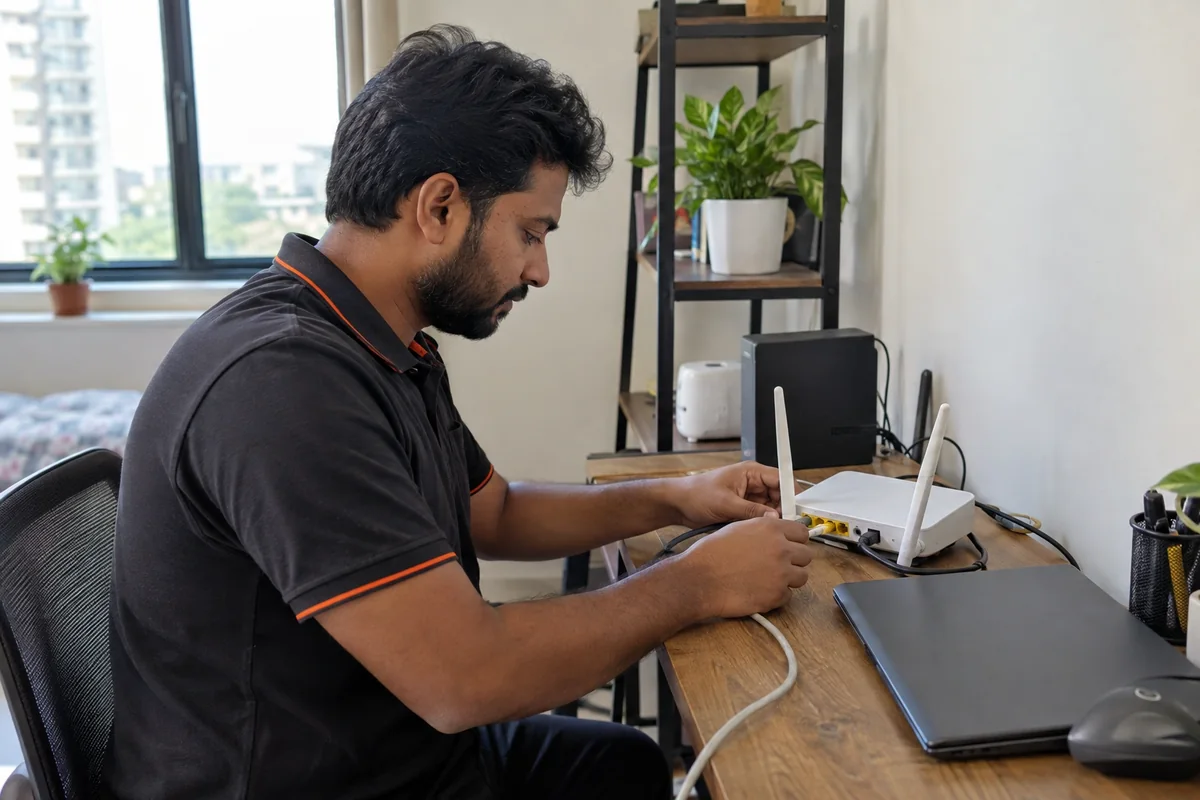
Share the router model and whether it is new or already connected. Setup requirements depend on the equipment and your internet provider. Confirm compatibility and the work needed before arranging service.
Describe the rooms affected and where the router is located. Our Wi-Fi service includes troubleshooting coverage and performance; a new router or extra device should not be assumed to be the answer.
Tell us which devices disconnect, when it happens and whether other devices stay online. A clear description is more useful than changing several settings before the fault is assessed.
If you already use mesh units, an extender or an access point, include its model and how it connects. Support for that equipment and any proposed additions must be confirmed first.
Queen Electronics & Wellness handles enquiries about router setup, Wi-Fi coverage and local connectivity. Explain whether the problem affects one area, one device or all devices.
Queen Electronics & Wellness is not your internet service provider. Line outages, account activation and provider-managed equipment may need the provider's support. Being connected to Wi-Fi does not by itself confirm that the internet connection is working.
Contact us with the router model and a description of the affected rooms before buying equipment. Suitability, compatibility, setup support and any supply arrangements need confirmation.
No. Describe the problem without sharing passwords, account recovery codes or a photo of a label that reveals login details. Any necessary access should be agreed separately.
No fixed speed is promised. The internet plan, equipment, connection and home layout can affect the result. Ask what can be assessed and which issues may need your internet provider.
Router position, walls and floors reduce signal. Extenders or a mesh system can help; tell us where the router is and which rooms drop.
Yes. Queen Electronics & Wellness sets up routers, extenders and mesh Wi-Fi for homes in Dubai. WhatsApp +971 50 694 8836.
Yes, we can check the network for connected devices such as cameras and TVs.
WhatsApp or call +971 50 694 8836, or visit our kiosk at Emirates Cooperative Society, 18C Street, Ground floor, Al Twar 3, Dubai. Open Saturday–Thursday 10am–10pm, Friday 4pm–10pm.
Place the router centrally and high, away from metal and the TV, restart it, and use the 5 GHz band near the router. For villas or several floors, a mesh system or wired access points usually works better than a single extender. WhatsApp +971 50 694 8836 with your router location and weak rooms.
Common causes are a router placed in a corner or inside a cabinet, thick walls between floors, an old or overheating router, too many devices on one router, or a fault on the internet line. Restart the router and check whether the problem is in one room or the whole home. If it keeps dropping, a technician can check the router setup and coverage inside your home. Line faults outside the home are for your internet provider.
Put it high, in an open central spot, away from metal cabinets, mirrors and the microwave. In a villa or two-storey home one router is often not enough; mesh units or a wired access point may be needed. WhatsApp +971 50 694 8836 and we can advise on placement for your home.
In Al Warqa 1–5 villas, thick walls and several floors often leave weak spots in bedrooms, the majlis or the garden. We check where your router sits, set up or fix mesh systems and wired access points, and sort out dropouts on smart TVs and cameras. See our Al Warqa, Al Rashidiya and Nad Al Hamar page, or WhatsApp +971 50 694 8836 with the rooms where Wi-Fi drops.
Al Twar · Mirdif & Oud Al Muteena · Al Warqa, Rashidiya & Nad Al Hamar · Nad Al Sheba & Meydan · Al Barari & Dubailand · Al Qusais · Al Nahda · International City & Warsan
Include your area, router model and the devices or rooms affected. Ask about assessment, availability and charges before agreeing the work.
Queen Electronics & Wellness (Queen Electronics LLC) uses Google Analytics, with your permission, to understand website visits and clicks on WhatsApp and Call buttons. Measurement includes the page, service, page language, referral source, device type and approximate location. Analytics uses cookies with random browser identifiers. We do not send your name, email address, phone number or message content to Analytics.
A contact click indicates interest; it does not prove that a message was sent or a call took place. We do not use this data for advertising personalization. You can decline analytics or withdraw permission through “Cookie Settings”; all services and contact buttons remain available. Your choice is remembered on this browser for six months. Analytics cookies expire within six months without automatic renewal. Detailed event data is retained in Google Analytics for two months.
Google processes data under its own policies and may process it outside the UAE. Messages sent through WhatsApp, telephone or email are handled by the relevant service and are not collected by website analytics. For privacy questions, contact queenelectronicsllc@gmail.com.
How Google uses information from sites that use its services
Our server uses the connection address locally to show a shorter notice in the UAE and full controls elsewhere or when location is unknown. We do not send your address to an external geolocation service, or automatically grant permission based on country. This uses IP Geolocation by DB-IP; country detection can be inaccurate.
Change your choice using “Cookie Settings”. Switching analytics off stops measurement and removes analytics cookies from this browser; it does not erase data already sent. Choices apply to this browser. We respect Global Privacy Control by disabling analytics. Privacy extensions may block measurement even after acceptance. This website has no enquiry forms or marketing trackers.
Updated 29 September 2026. This information describes current technical use. For privacy questions or a request about your data, use the email above.